


Daily Bible KJV
4.8200.00 Reviews
App Specs
- Version
- 1.2.0
- Updated On
- License
- Free
- Downloads
- 100,000+
- Developer
- Double Prime
- Categories
- Books & Reference
- Platform
- Android
Screenshots
 Analysis by AppCompare
I reach for a Bible app most often in the small gaps of the day: before getting out of bed, while waiting for an appointment, or when a verse from a conversation is still on my mind. Daily Bible KJV suits that kind of use because it keeps the King James Version at the center and gives me a direct route into reading rather than asking me to learn a complicated study system first. My view is that it works best as a steady reading companion, especially for people who already enjoy the KJV and want a few practical ways to return to passages.
A straightforward routine for everyday reading
The easiest way to make the app useful is to give it a familiar place in a routine. I might open a book and chapter in the morning, read a short passage, then come back to a verse later if I want to think about it more carefully. Browsing by book, chapter, and verse keeps that simple: I can go directly to a reference rather than paging through a long text and losing my place.
Search is helpful when I remember a phrase or want to find a passage around a topic. I would treat it as a starting point, not a substitute for reading the surrounding verses. A search result can locate a verse quickly, but context matters; opening the chapter and reading around the match is a better habit when I am using a passage for study or sharing it with someone.
The app is free to install, and it is a Books & Reference app from Double Prime. It has a 4.7 average from over 500 ratings, with more than 100,000 installs. Those figures suggest that it has found an audience, though they do not tell me whether its reading style will suit every person. The content rating is Everyone, and the current version is 1.1.2. Optional in-app purchases are listed at $2.99 per item, so I would check the purchase details in the app before choosing anything paid.
Settings that make reading more comfortable
Text size is a setting worth adjusting before settling into a longer session. A size that looks fine for a quick verse can become tiring over several chapters, especially on a smaller screen. I prefer to test it with a full paragraph rather than a single line, because that shows whether the layout feels comfortable once I am actually reading.
Night mode is another practical choice for evening use. It can make a late reading session less glaring, although the best screen appearance depends on the room and personal preference. I would switch between the available reading appearance options at the time of day I expect to use them, rather than assuming one setting will feel right everywhere.
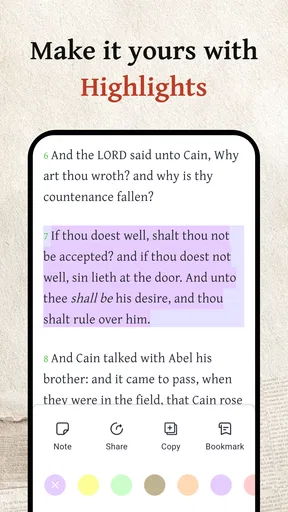
Bookmarks and highlights serve different purposes, and using both deliberately can keep a personal reading trail clearer. I use a bookmark for a passage I intend to return to, such as a chapter I have not finished. A highlight is more useful for a verse or phrase that stands out during a particular reading. If I mark too much, everything starts to look equally important, so a light touch makes saved passages easier to revisit.
Worth Reading Before You Choose

EA SPORTS FC Mobile 26 Is a Bigger Football Game, but It Takes Time

Flipboard Shows What News Apps Must Do Beyond the Feed

Switching to Android Auto Means Rethinking Your Driving Routine

Google Calendar Makes a Crowded Week Easier to Manage

Ludo King Makes the Most of the Minutes Between Plans

Baby Panda World Brings Quick Play to Modern Phones, but Its Game Library Feels Busy
Small habits that save time later
A useful pattern is to pair a daily verse notification with a brief follow-up reading. Rather than treating the notification as the whole devotional moment, I can open the passage, read its surrounding lines, and decide whether I want to save it. That turns a prompt into a short, repeatable routine without requiring a long study session every day.
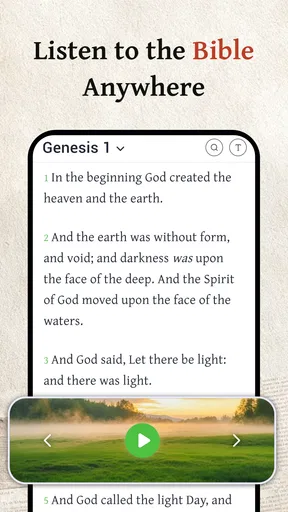
Audio offers another way to keep a routine when reading is inconvenient. I would use it during a walk or while getting ready, when holding a phone and following text is awkward. Playback speed can be adjusted, but faster listening is not automatically more efficient: for a familiar passage, a quicker pace may work; for a difficult section, slowing down makes it easier to follow. The practical trade-off is attention. Listening while doing something else is convenient, but if I want to examine wording closely, reading on screen is the better choice.
Search, saved verses, and sharing also work well as a simple sequence: find a passage, read enough context to understand why it matters, bookmark or highlight it if I expect to return, and share only after checking that the excerpt says what I mean. That last step is easy to overlook. A verse can sound different when separated from its chapter, so I prefer to revisit the passage before sending it to family or friends.
Where it fits among Bible apps
Compared with a general-purpose Bible reference app, this one feels most appealing when the KJV is the version I want to read and I value quick access, notifications, audio, and personal marking tools. It is less compelling for someone whose main need is comparing several translations or organizing extensive research. In that case, a study-focused Bible app or a dedicated reference resource may be a better fit than a streamlined daily reader.
It also differs from reading a printed Bible in useful but ordinary ways. A phone makes searching and jumping to a reference faster, and audio can fit into moments when a book cannot. Paper can be more comfortable for long, distraction-free sessions, though, and it does not put notifications and other phone activities nearby. I would choose based on the moment: use the app for convenient access and quick lookup, and choose print when the goal is a quieter stretch of reading.
The KJV itself is a consideration. Readers who value its traditional language may find it familiar and meaningful; readers who prefer contemporary wording may find some passages less immediate. I would not choose a KJV-only reading experience if I regularly need a modern translation for clarity. Likewise, if I need detailed scholarly tools rather than personal reading aids, I would look for a resource built around those needs.
Limits to keep in mind
The features described here support reading and personal reflection, but they do not replace the work of interpreting a passage in context. A search result, highlighted phrase, or shared verse is only as useful as the care I bring to it. For group study, teaching preparation, or close comparison of wording, I would pair a convenient reader with a trusted commentary or another reference tool rather than expect one app to answer every question.
Notifications can help establish a habit, but they can also become background noise if they arrive at an inconvenient time. I would check the notification settings and choose a schedule that fits my day, if those controls are available, rather than letting a prompt interrupt work or rest. The same principle applies to saved material: a small number of meaningful bookmarks is easier to use than a collection of marks I never revisit.
There is also a practical distinction between installing the app and deciding whether to make any in-app purchase. The app is free, while individual purchases are listed at $2.99. I would start with the free experience, use it for ordinary reading, and only consider a purchase if its purpose is clear to me inside the app. That makes it easier to judge value without assuming paid options are necessary for a basic routine.
Getting Started
First things first, downloading the app was a breeze. Available on both Android and iOS, you just need to head to the Google Play Store or the Apple App Store and hit that download button. Once installed, Daily Bible KJV welcomes you with a clean and intuitive interface. I must say, the simplicity is a blessing. No overwhelming menus or complicated settings—just straightforward Bible access.
Exploring Features
The app is packed with features that make reading the Bible a more immersive experience. You can browse through different books, chapters, and verses with ease. The search function is pretty robust, allowing you to find specific scriptures or topics without any hassle. I found this particularly handy when I wanted to reference specific verses during my study sessions.
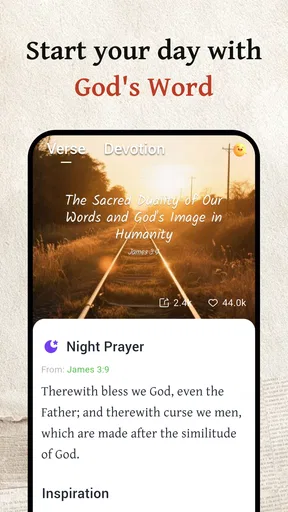
One of the standout features for me was the daily verse notifications. Every morning, I received a carefully selected scripture that set a positive tone for the day. It’s like having a personal spiritual assistant reminding you to take a moment for reflection.
Customization Options
Customization is where this app really shines. You can adjust the text size to suit your reading preference, which is a small yet thoughtful feature. There’s also a night mode option that makes reading easier on the eyes during late-night study sessions. It’s these little touches that show the developers truly understand their audience.
Another cool feature is the ability to bookmark and highlight verses. This allows you to keep track of the scriptures that resonate with you the most, which is perfect for those of us who like to revisit certain passages regularly.
Audio Bible Experience
For those who prefer listening, the app includes an audio Bible feature. Whether you’re on your morning commute or just relaxing at home, you can listen to the Word of God without having to read. The narration is clear and pleasant, making it easy to follow along. Plus, you can adjust the playback speed, which is a nice touch for those who like to take things slow or speed them up.
Social Sharing and Community
One of my favorite aspects of this Bible app is the social sharing feature. You can share your favorite verses with friends and family through social media or messaging apps. It’s a great way to spread positivity and engage with your community. Plus, knowing that others might benefit from the scriptures you find meaningful adds an extra layer of purpose to your reading.
Final Thoughts
In conclusion, Daily Bible KJV is more than just a Bible reader. It’s a comprehensive tool for anyone looking to deepen their understanding and connection with the scriptures. Its user-friendly interface, coupled with a robust set of features, makes it a standout choice for both newbies and seasoned Bible readers.
Whether you’re using it for daily devotionals, in-depth study, or simply to explore the timeless wisdom of the Bible, this app has got you covered. I’d recommend giving it a try. It might just become your go-to spiritual companion.
If you're intrigued and want to explore more, you can easily find links to download the app on our website. Dive in and see how it transforms your daily Bible reading experience!
Who will get the most from it?
I think it is especially suitable for someone who already likes the King James Version and wants a convenient way to keep reading through the week. A new reader can benefit from the clear book-and-chapter approach, but the traditional wording may take patience. If that language feels like a barrier, a contemporary translation should be easier to follow; there is no need to force a version that makes reading feel like work.
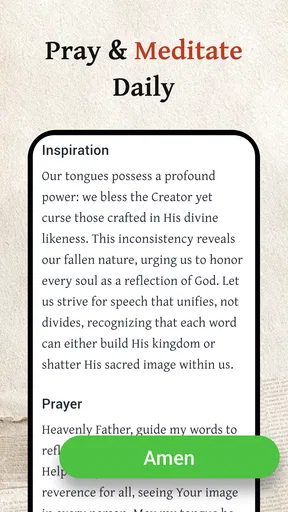
For an everyday example, imagine having ten minutes before the rest of the household wakes up. I could open a chapter, adjust the text for comfortable reading, and spend those minutes with the passage rather than searching through a physical index. If one line stays with me, I can mark it and return to it later. On a busy day, I might instead listen while preparing breakfast, then open the text at a calmer moment if I want to examine the wording.
That mix is the app’s strongest practical point: it can support more than one kind of reading moment without asking me to maintain a complex study workflow. The trade-off is that the convenience of a phone can invite interruptions. I would silence unrelated alerts or set aside a short, deliberate reading window when concentration matters, rather than expecting the app itself to create focus.
Choosing a repeatable approach
For a sustainable habit, I would avoid trying every feature at once. I would begin with a comfortable text size, decide whether morning notifications are genuinely helpful, and use one simple marking rule—for example, bookmark passages to revisit and highlight only lines that matter to me. After a week, I could review whether those choices made it easier to return to reading or merely added taps.
Audio is worth testing in a separate situation from screen reading. If I am walking somewhere familiar, listening may fit naturally; if I am navigating traffic or doing a task that needs attention, I should not let an audio Bible compete with safety or concentration. Playback speed is a personal aid, not a goal. A slower pace can help with unfamiliar wording, while a familiar passage may be comfortable at a quicker setting.
People often wonder whether they need to pay to make the app useful. I would start with the free version and see whether its reading, search, audio, and saving tools meet my needs before considering any optional purchase. Someone deciding whether it works on a device should also check the minimum operating-system requirement: it supports version 7.0 and up. The app is marked for Everyone, which makes its content rating straightforward, but that does not mean every reader will prefer the KJV’s style.
A considered recommendation
My recommendation is measured rather than universal. This is a good fit if you want a KJV reader that can support brief daily reading, quick scripture lookup, listening, and a modest personal collection of saved passages. It is less suitable if translation comparison, extensive notes, academic tools, or a distraction-free paper experience are central to your routine. Those needs point toward a different Bible or reference resource, and that is a matter of choosing the right tool, not a flaw in a simple reader.
Overall, I would keep it as a convenient companion for regular reading, especially if notifications and audio help me show up on days when opening a book feels less likely. Its best results come from a few thoughtful settings and a repeatable habit, not from using every option all the time. If the King James Version is the one you want close at hand, this is an approachable place to build that routine; if you need broader study depth or more modern wording, I would look elsewhere before settling in.
Pros
- User-friendly interface for easy navigation.
- Offline access to scriptures and notes.
- Daily verse notifications for inspiration.
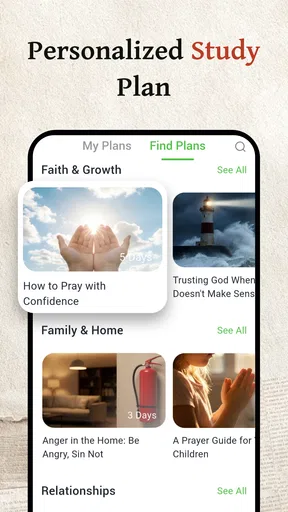
- Customizable reading plans and bookmarks.
- Audio Bible feature for hands-free use.
Cons
- Limited translation options available.
- Frequent ads can be distracting.
- Some features require in-app purchases.
- Occasional bugs in highlighting text.
- No community or sharing features.
FAQs for Daily Bible KJV
What features does Daily Bible KJV offer to enhance my Bible study experience?
Daily Bible KJV provides users with a comprehensive study experience by offering features like verse of the day, offline access, daily devotional readings, and customizable reading plans. It also includes audio versions for convenient listening and highlights, bookmarks, and notes to personalize your study. The app’s intuitive interface makes navigation simple, enhancing your spiritual journey.
Is Daily Bible KJV suitable for beginners and advanced Bible readers alike?
Yes, the Daily Bible KJV app caters to both beginners and advanced readers. Beginners will appreciate the straightforward layout and easy-to-follow reading plans, while advanced users can delve deeper with features like cross-references, commentaries, and the ability to highlight and take notes. The app accommodates all levels of Bible study enthusiasts.
Can I use Daily Bible KJV offline, and what are the benefits of this feature?
Daily Bible KJV can be used offline, which is particularly beneficial for users who travel frequently or have limited internet access. This feature ensures that you can continue your daily readings and study without interruption, offering flexibility and convenience in maintaining your spiritual routine regardless of your location.
How does Daily Bible KJV ensure a distraction-free reading environment?
Daily Bible KJV focuses on providing a distraction-free reading environment by offering a clean, ad-free interface. Users can customize text size and background colors to suit their reading preferences, minimizing visual clutter. This focus on simplicity allows for a more immersive and uninterrupted Bible reading experience.
Is Daily Bible KJV available for both Android and iOS devices, and how is the user experience across platforms?
Yes, Daily Bible KJV is available for both Android and iOS devices. The app offers a consistent user experience across platforms, ensuring that features and functionalities are uniform whether you use it on an Android phone or an iOS device. This cross-platform compatibility allows users to seamlessly switch devices without losing their place in their study.


